How do I reprogram the buttons on my Wave? What are Presets?Updated 8 months ago
Want quicker access to the relief you need most? You can reprogram your Wave's two buttons to create shortcuts to your two favorite cooling and warming sessions using the Preset function.
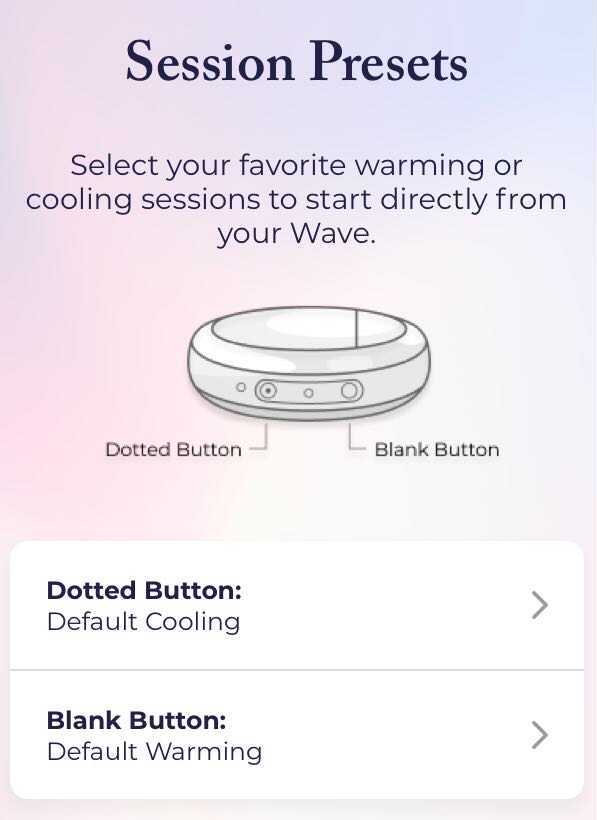
When you first receive your Wave, the dotted button will be set to Default Cooling and blank button will be set to Default Warming.
You can reassign these button presets to make it possible to switch between your two go-to cooling or warming sessions directly from your Wave.
Here's how to change your Presets:
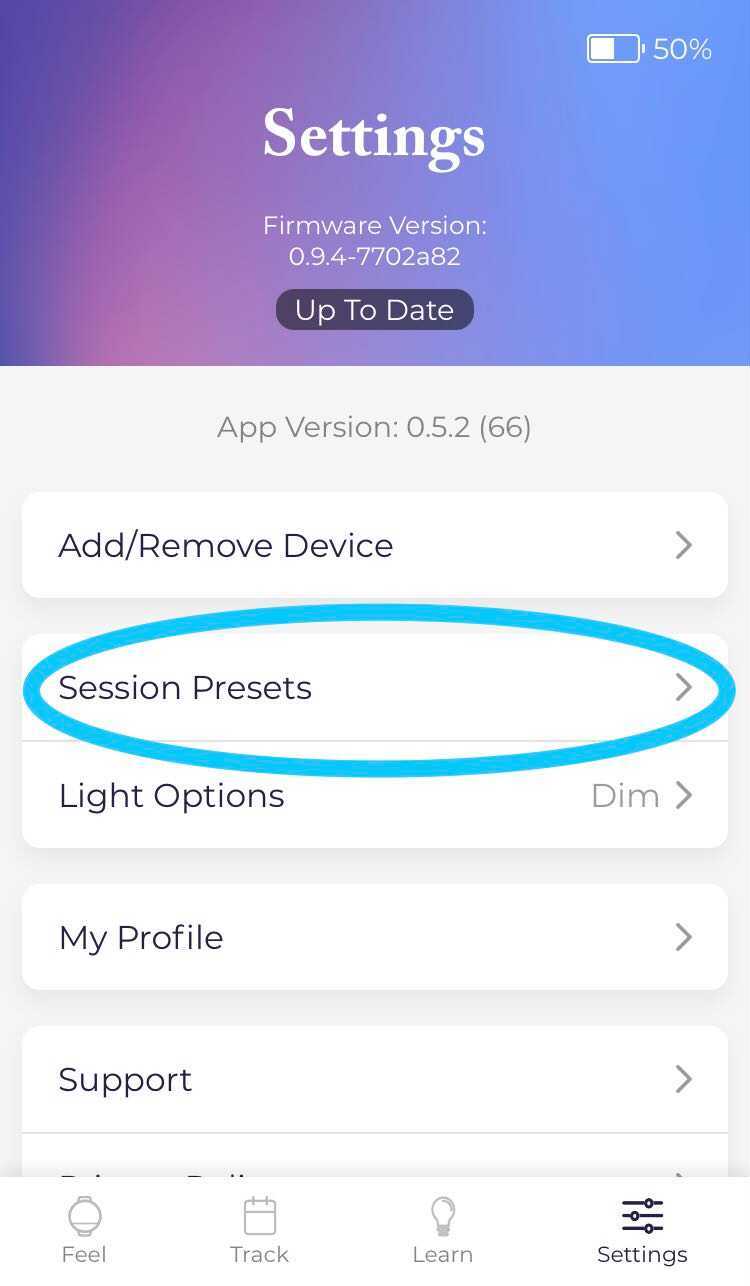
- Open the app and tap Settings > Session Presets.
- Tap the button you’d like to use.
- Select the session you’d like to assign to that button.
OR
- Open the app.
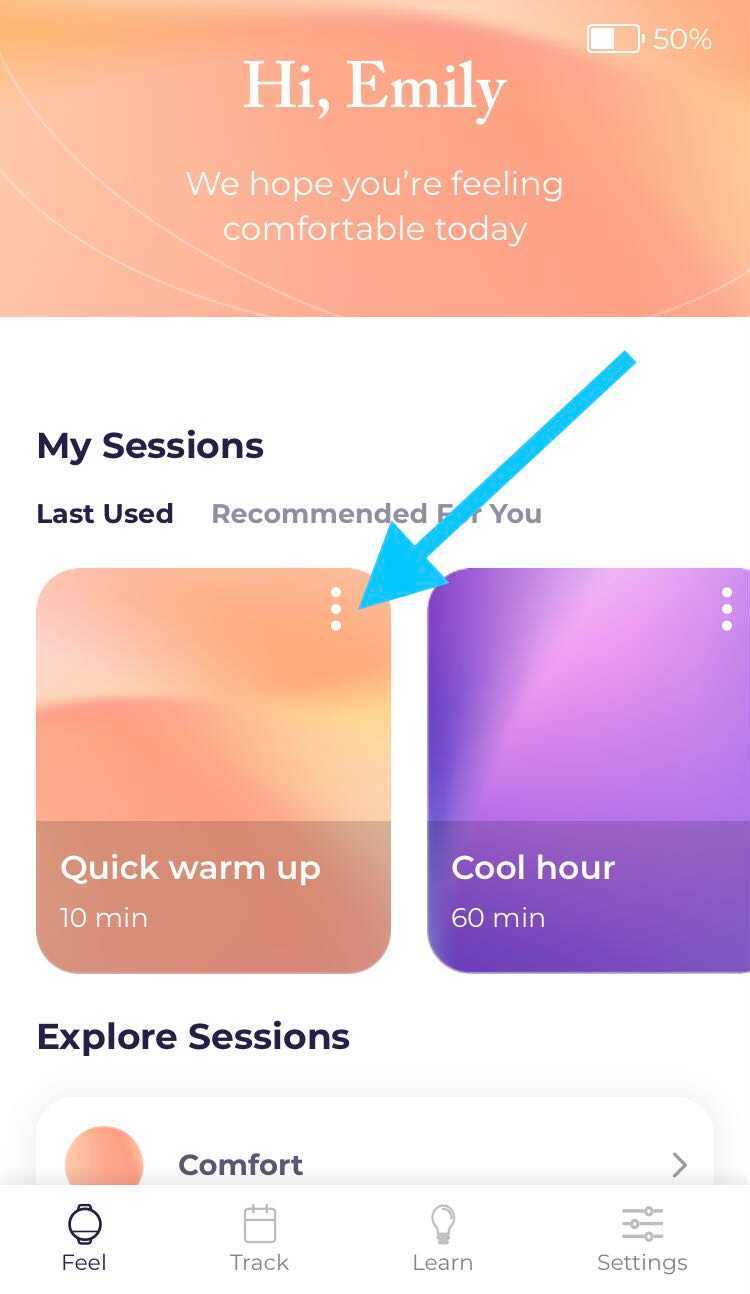
- From the dashboard, find the session you’d like to use as a Preset and tap the three buttons in the top right corner of the card.
- Tap Preset, and then select the button you’d like to assign the session to.
You can choose to have one button set to cooling and one button set to warming, or you can have both buttons set to cooling or warming (e.g., two cooling Presets or two warming Presets). [Note: If you have one cooling and one warming preset, the cooling session must be assigned to the dotted button and the warming session must be assigned to the blank button.]
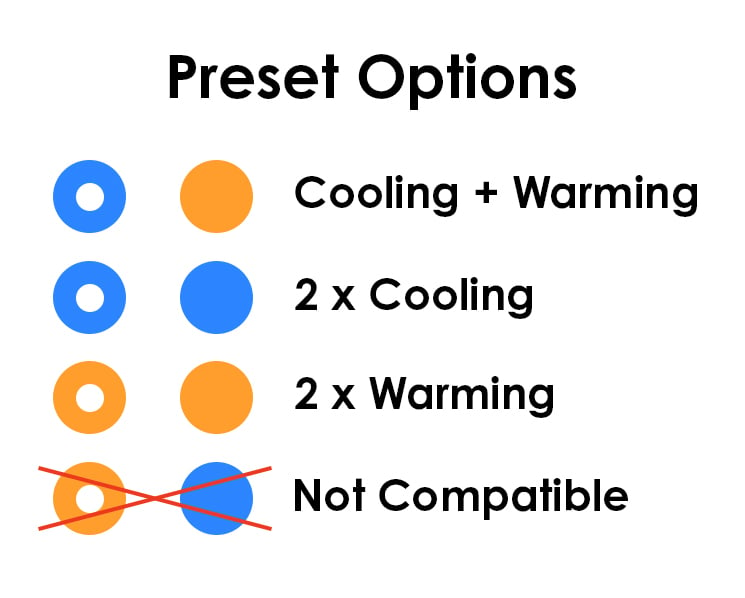
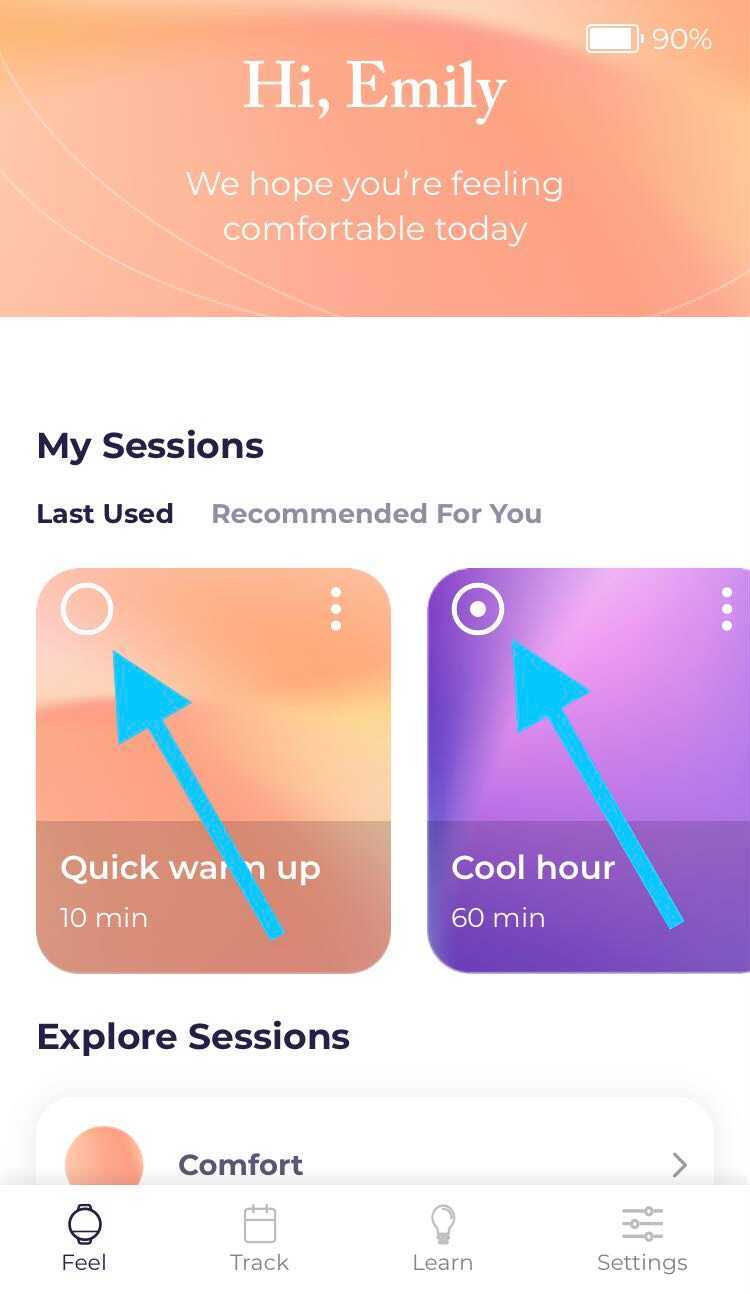
On your dashboard, your chosen Presets will now display either a dotted button icon or blank button icon in the left corner of the session card.